
How to keep your computer files safe and protected is something many of us don’t think about until something goes wrong. We turn on our computers every day, expecting everything to work just as it did yesterday. But what happens when your computer suddenly stops working and you can’t access your important pictures, documents, or personal files?
I learned firsthand how stressful this can be when my computer unexpectedly stopped working. I had important documents, family pictures, videos, and business information saved on it. Suddenly, I was faced with the possibility of losing things that meant a great deal to me.
That experience taught me just how important it is to protect our digital memories and important information before something goes wrong.
Whether you use your computer for work, managing household expenses, storing family photos, or simply keeping in touch with loved ones, learning how to keep your computer files safe can save you a lot of worry.
In this article, I’ll share some simple ways to back up your files, protect your information, and prepare for unexpected computer problems.
Why Backing Up Your Computer Files Is So Important
One of the best ways to keep your computer files safe is to make regular backups. A backup is simply an extra copy of your important files that you save somewhere other than your computer.
Think about everything you have stored on your computer. Family pictures, videos, important documents, financial records, and maybe even years of memories. What would happen if you turned on your computer tomorrow and couldn’t access any of them?
That’s exactly why backing up your files is so important.
Computers can stop working without warning. Hard drives can fail, files can accidentally be deleted, and viruses or other problems can make your information difficult or impossible to recover.
The good news is that you don’t have to be a computer expert to protect your information. There are several simple ways to back up your files, and some won’t cost you anything.
My advice is to start with the files you could never replace. Family pictures, important documents, and personal memories should be at the top of your list.
Taking a little time today to make backup copies could save you a lot of heartache tomorrow.
If you’ve been wondering how to keep your computer files safe, these three backup methods are a great place to start.
How to Keep Your Computer Files Safe: 3 Simple Backup Methods
Learning how to keep your computer files safe doesn’t have to be complicated or expensive. There are several ways to protect your important pictures, documents, videos, and other information.
Here are three popular backup methods that can help protect your files if something happens to your computer.
1. External Hard Drives
An external hard drive is a storage device that connects to your computer, usually through a USB cable. It allows you to save copies of important files without keeping everything on your computer’s internal hard drive.

External hard drives are especially helpful if you have large collections of family pictures, videos, or business documents.
One advantage is that you can store a large amount of information without paying a monthly subscription. However, external drives can also fail, so it’s important not to rely on just one backup.
After backing up your files, disconnect the external drive and store it somewhere safe.
2. USB Flash Drives
USB flash drives are small, portable storage devices that plug directly into your computer. They’re convenient for saving documents, pictures, and other files you want to keep or transfer between computers.
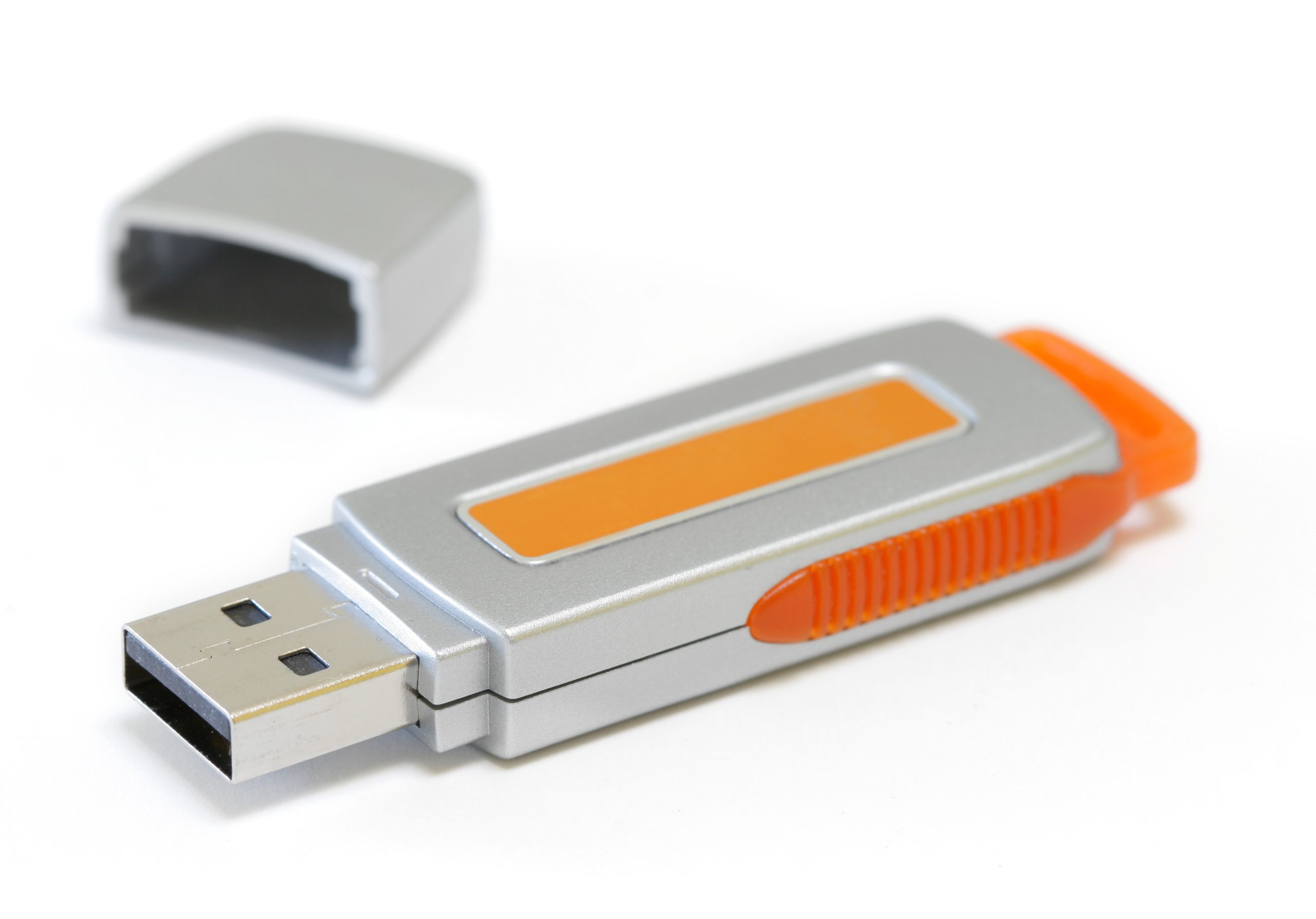
Flash drives come in different storage sizes and are generally easy to use. They’re especially handy when you only need to back up a smaller collection of important files.
However, because they’re small, they can easily be misplaced or damaged. Like external hard drives, USB flash drives shouldn’t be your only backup method.
If you’re wondering how to keep your computer files safe without spending a lot of money, a USB flash drive can be an affordable place to start.
3. Cloud Storage
Cloud storage is another way to protect your important computer files. Instead of saving everything on a physical device in your home, cloud storage allows you to store copies of your files on secure online servers.

Services such as Google Drive, Microsoft OneDrive, and Dropbox offer cloud storage options, including limited free storage.
One advantage of cloud storage is that you may be able to access your saved files from another computer, tablet, or smartphone if your main computer stops working.
Some services also offer automatic backup or syncing features, which can make protecting your information more convenient.
However, free storage space is limited, and larger storage plans may require a subscription. It’s also important to use strong passwords and two-factor authentication to help protect your account.
Which Backup Method Is Best?
The best way to keep your computer files safe is to use more than one backup method.
For example, you could save your important pictures and documents to an external hard drive while also keeping another copy in cloud storage.
That way, if one backup fails or becomes unavailable, you still have another copy of your important information.
Remember, the goal isn’t just to save your files. It’s to make sure you can recover them when you need them most!
What I Learned When My Computer Suddenly Stopped Working
I learned the importance of knowing how to keep your computer files safe the hard way. One day, my computer was working perfectly, and the next morning, it wouldn’t start.
I had appointments scheduled with new students and was getting ready to begin my workday. I sat down with my morning coffee, turned on my computer, and instead of seeing my familiar desktop, I received an error message.
My computer couldn’t find the hard drive!
Like many people, I had years of important information stored on that computer. Family pictures, videos, personal documents, business files, and programs I used for working from home were all there.
I hadn’t expected my computer to suddenly stop working, and I certainly wasn’t prepared to deal with the possibility of losing everything.
That experience made me realize something important. Just because your computer is working today doesn’t mean it will be working tomorrow.
I shared the entire experience in my article, What I Learned When My Computer Suddenly Stopped Working, including what happened when I tried to get my computer running again.
My Experience Recovering Pictures From a PhotoStick
Another experience that taught me about protecting important files involved my PhotoStick.
I had saved thousands of pictures on my PhotoStick, but when I tried to access them, I couldn’t find what I was looking for.
After working through the recovery process using a file recovery program, I was able to recover more than 12,000 JPG pictures and over 1,300 PNG files!
Imagine the relief of seeing those pictures appear again.
But here’s something important I learned: Recovering files isn’t always possible. Sometimes storage devices become damaged, files are overwritten, or information is permanently lost.
That’s why I believe it’s better to prevent losing your important information than to depend on recovering it later.
The Lesson I Want to Share
If there’s one thing I hope you take away from my experience, it’s this: Don’t wait until your computer stops working to think about protecting your files.
Whether you’re storing precious family memories, important financial documents, or information for your business, take a little time to make backup copies.
Learning how to keep your computer files safe today could save you from a lot of frustration and worry in the future.
5 Everyday Habits That Help Protect Your Computer Files
Learning how to keep your computer files safe isn’t just about making backups. It’s also about developing a few simple habits that help protect your information from computer problems, viruses, scams, and accidental loss.
Once you understand how to keep your computer files safe, developing good daily habits can help you protect your information for years to come.
You don’t have to be a computer expert to get started. Here are five everyday habits that can make a big difference.
1. Use Strong Passwords
Passwords help protect your personal information, financial records, email accounts, and important documents.
Avoid using simple passwords such as your birthday, pet’s name, or easily guessed numbers. Instead, use long, unique passwords for each important account.
A password manager can help you create and organize your passwords without having to remember every one.
If you need help managing your passwords, visit my RoboForm Password Manager page to learn more about a tool designed to make password management easier.
2. Keep Your Computer Updated
Software updates aren’t just about adding new features. Many updates include important security improvements that help protect your computer from known threats.
Make sure your operating system, internet browser, antivirus protection, and frequently used programs are updated regularly.
Whenever possible, enable automatic updates so you don’t have to remember to check for them yourself.
3. Be Careful With Suspicious Emails and Downloads
Have you ever received an email saying you’ve won a prize, your account has been locked, or you need to click a link immediately?

Scammers often use messages like these to trick people into sharing personal information or downloading harmful software.
Before clicking a link or opening an attachment, take a moment to check who sent it. If something seems suspicious, contact the company directly through its official website or app.
Being cautious about unexpected emails and downloads is another important part of learning how to keep your computer files safe.
4. Set Up Automatic Backups
One of the easiest ways to protect your files is to make backups automatically.
Some cloud storage services and computer backup programs allow you to schedule regular backups without having to copy everything manually.
Depending on the service, you may be able to back up selected folders, pictures, documents, or even your entire computer.
Remember that syncing files and creating backups aren’t always the same thing. A deleted or damaged file may also be affected in a synced folder, so keeping a separate backup is important.
5. Check That Your Backups Actually Work
Making a backup is a great first step, but have you ever checked whether you can open the files you saved?
A backup isn’t very helpful if the files are missing, damaged, or impossible to restore.
Every so often, open a few pictures or documents from your backup to make sure they’re accessible. It’s also a good idea to test restoring a file to a different location.
You don’t have to check every single file, but taking a few minutes to make sure your backups are working can provide valuable peace of mind.
Small Habits Can Make a Big Difference
Protecting your computer files doesn’t have to be expensive or complicated.
By using strong passwords, keeping your software updated, avoiding suspicious links, making regular backups, and checking that those backups work, you can reduce the risk of losing important information.
The most important thing is to start before something goes wrong!
Protect Your Digital Memories Before It’s Too Late
Learning how to keep your computer files safe is something everyone should consider, whether you use your computer for business, personal finances, or simply storing family memories.
I never imagined that I would sit down at my computer one morning and discover that it wouldn’t start. I also never expected to spend hours trying to recover thousands of pictures from my PhotoStick. Those experiences taught me just how quickly technology problems can turn an ordinary day into a stressful one.
The good news is that protecting your important files doesn’t have to be difficult. Start by choosing a backup method that works for you, save copies of your most important information, and develop a routine for keeping everything protected.
I hope these tips on how to keep your computer files safe will encourage you to protect your pictures, documents, and special memories before something unexpected happens.
Don’t forget to check your backups occasionally to make sure your files are still accessible.
My biggest piece of advice is simple: Don’t wait until something goes wrong to protect the things you can’t replace.
Computers and storage devices can be replaced, but family pictures, special memories, and important personal information may be impossible to recover once they’re gone.
I hope sharing my experiences and these simple tips has helped you better understand how to keep your computer files safe and protected.
Take a little time today to protect your digital memories. You might be very thankful you did someday!